For whoever runs it
 For whoever runs it
Scoring, doubles and changing a tournament
Accumulation scoring, fixed partners, and changing the setup.
- 1
Play in fixed pairs
Tick Doubles Mode when you set the tournament up, and the same two partners play together all tournament. The rotation choices under it decide how the tables are drawn.
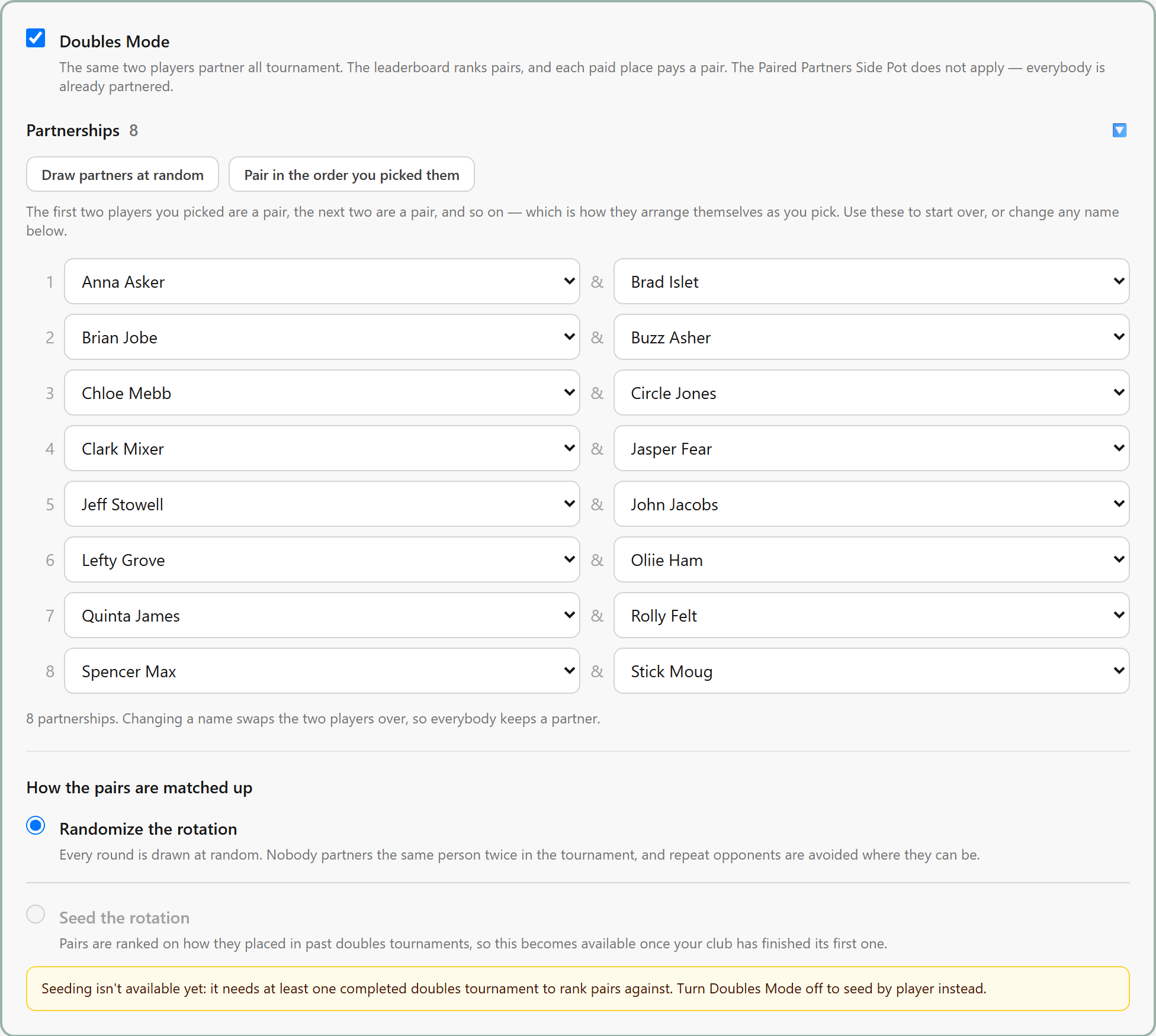
Seed the rotation and Spread partners across tournaments open up once your club has finished a tournament to rank on.
- 2
Standard or Accumulation
Under Scoring on the setup form. Standard plays each round to a target score. Accumulation plays a set number of hands and everybody banks what they make.
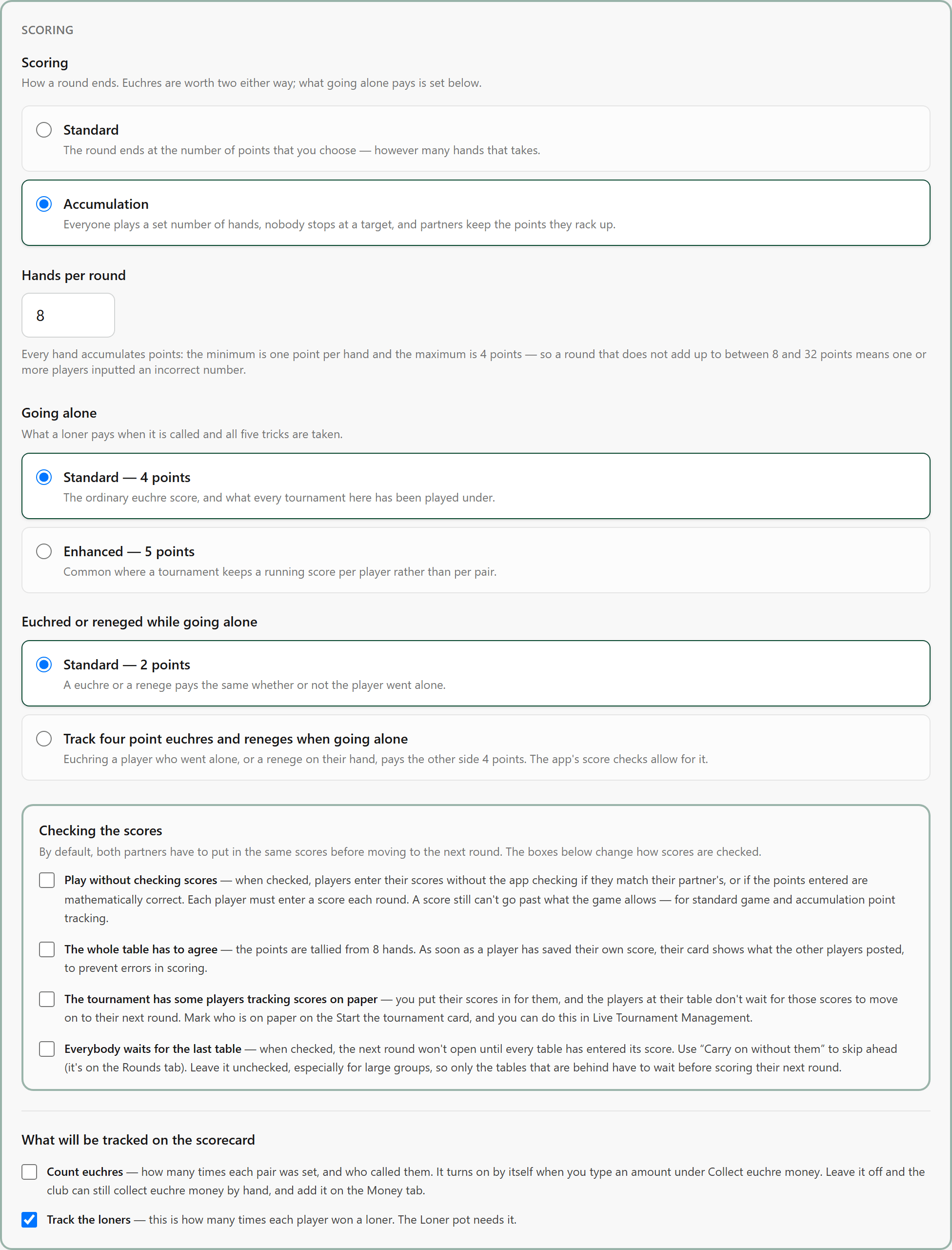
The scoring format is fixed once the first hand is recorded, so it is the one thing to get right before you start. Hands per round can still change.
- 2A
The whole table has to agree
Optional, under Scoring. Partners always have to agree on their score; tick this, and all four players at the table have to agree before the round moves on.
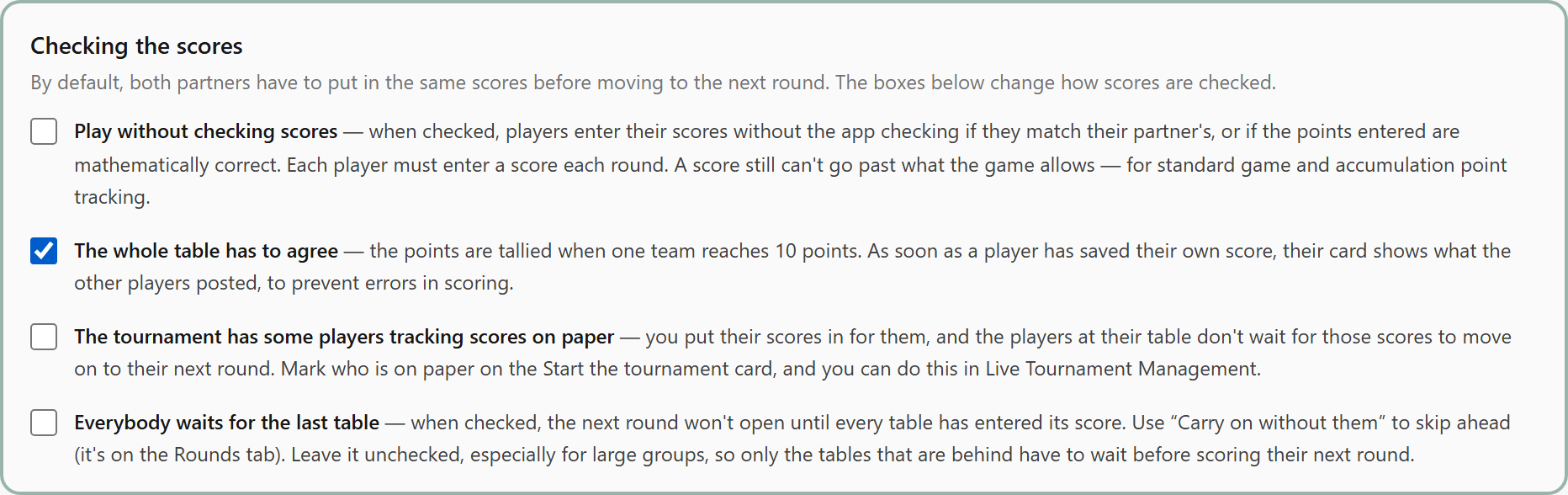
Once a player has saved their score, their card shows what the others at the table posted.
- 3
Hosts, the menu, and who sits out
Optional, on the setup form under the players. Name who is hosting and what people are bringing. When the players do not fill every table, Who sits out says how many sit out each round and who.
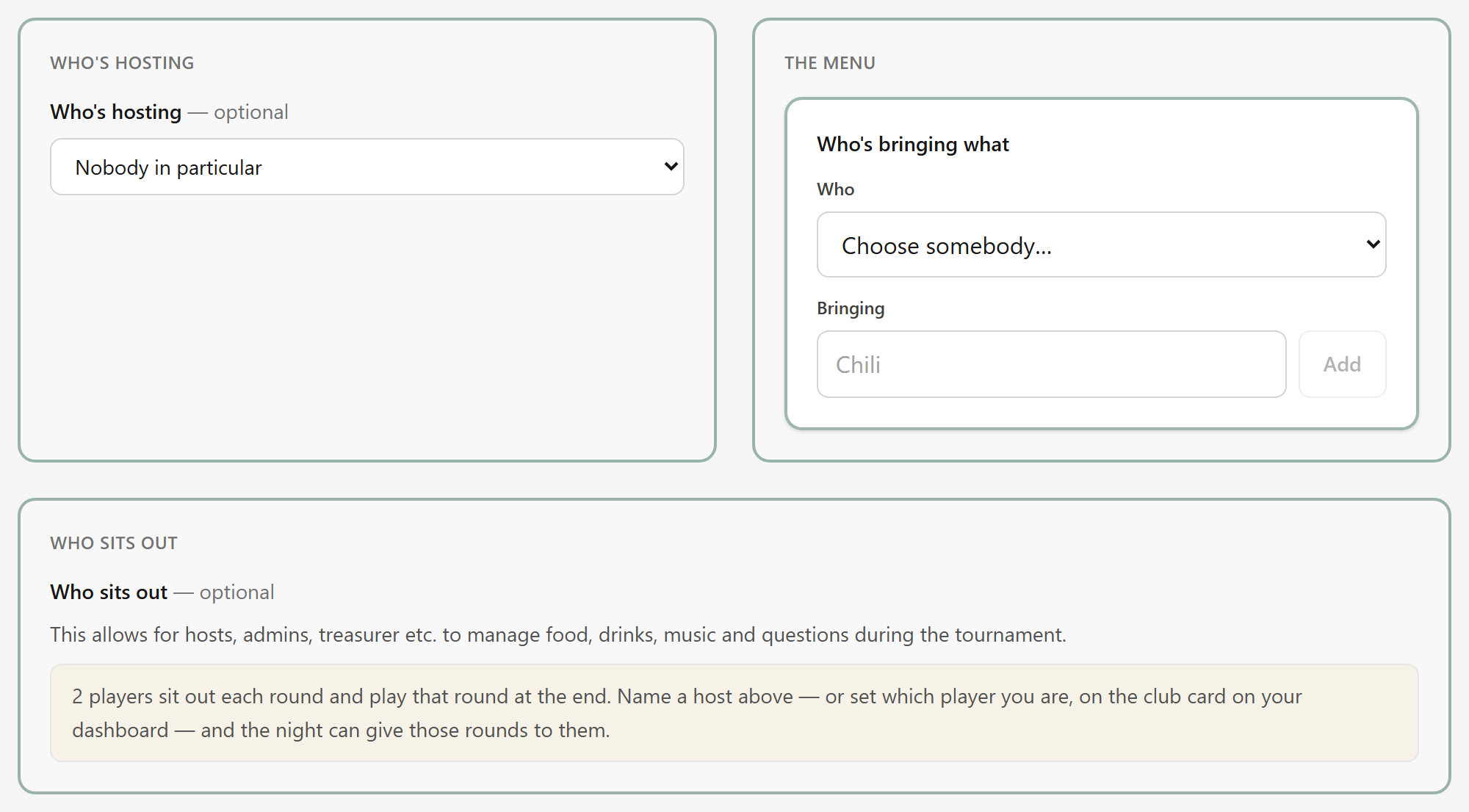
A player who sits out plays that round at the end of the night. Name a host, and you can give those rounds to them.
- 4
Change the setup
Edit setup, at the top of the tournament's page, reopens everything you chose when you made it, until you press Start the tournament. Changing the players or the rounds draws the rotation again.
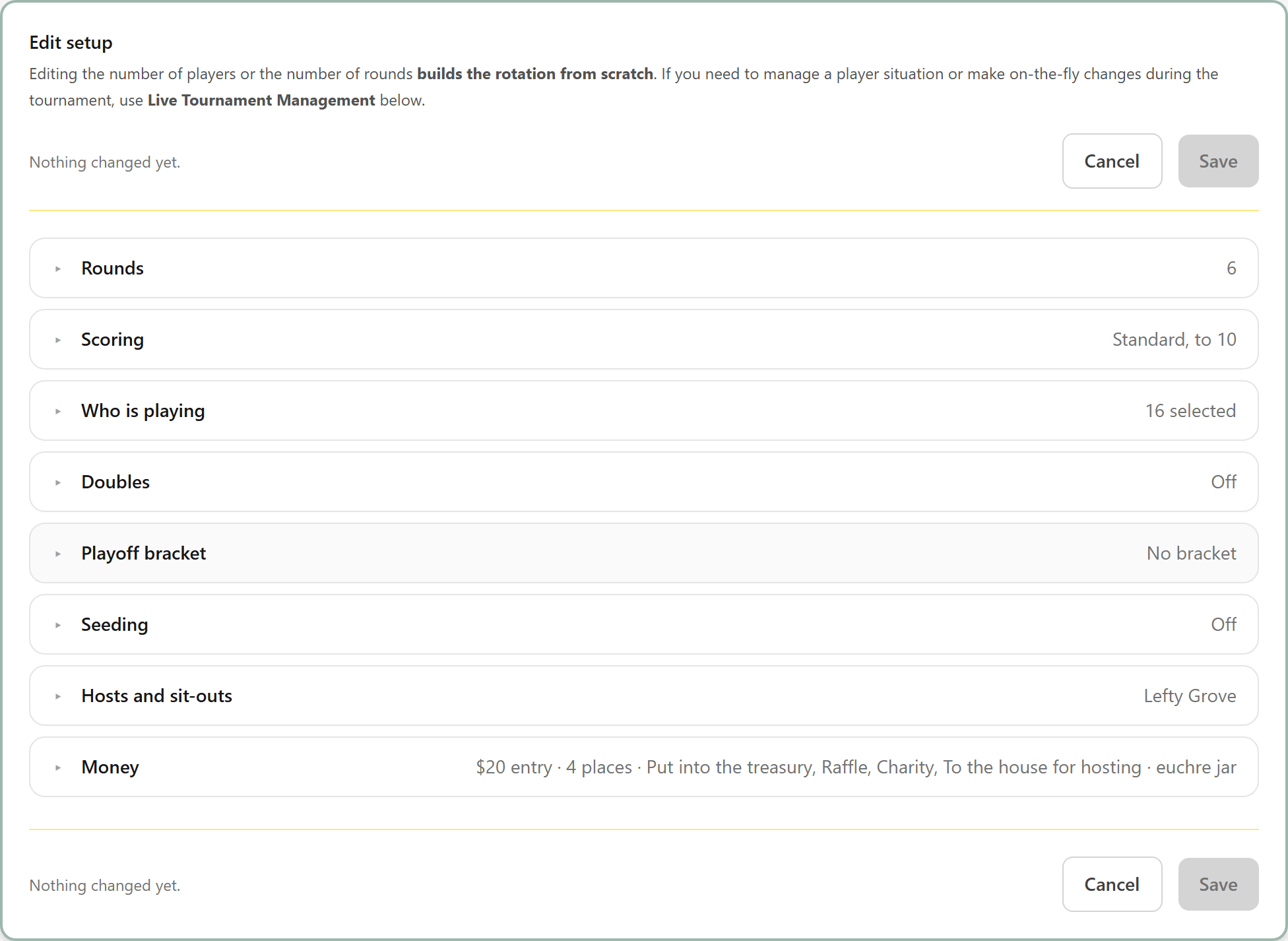
Nothing is lost, because nothing has been scored. After the start, changes go through Live Tournament Management.