For players
 For players
Playing in a tournament
For players: saying you're coming, your scorecard, entering scores, and where the standings are.
- 1
The invitation — this is how it looks on the phone
Your club sends a link for the tournament. Open it on your phone to see what it is, when and where, and to put your name down.
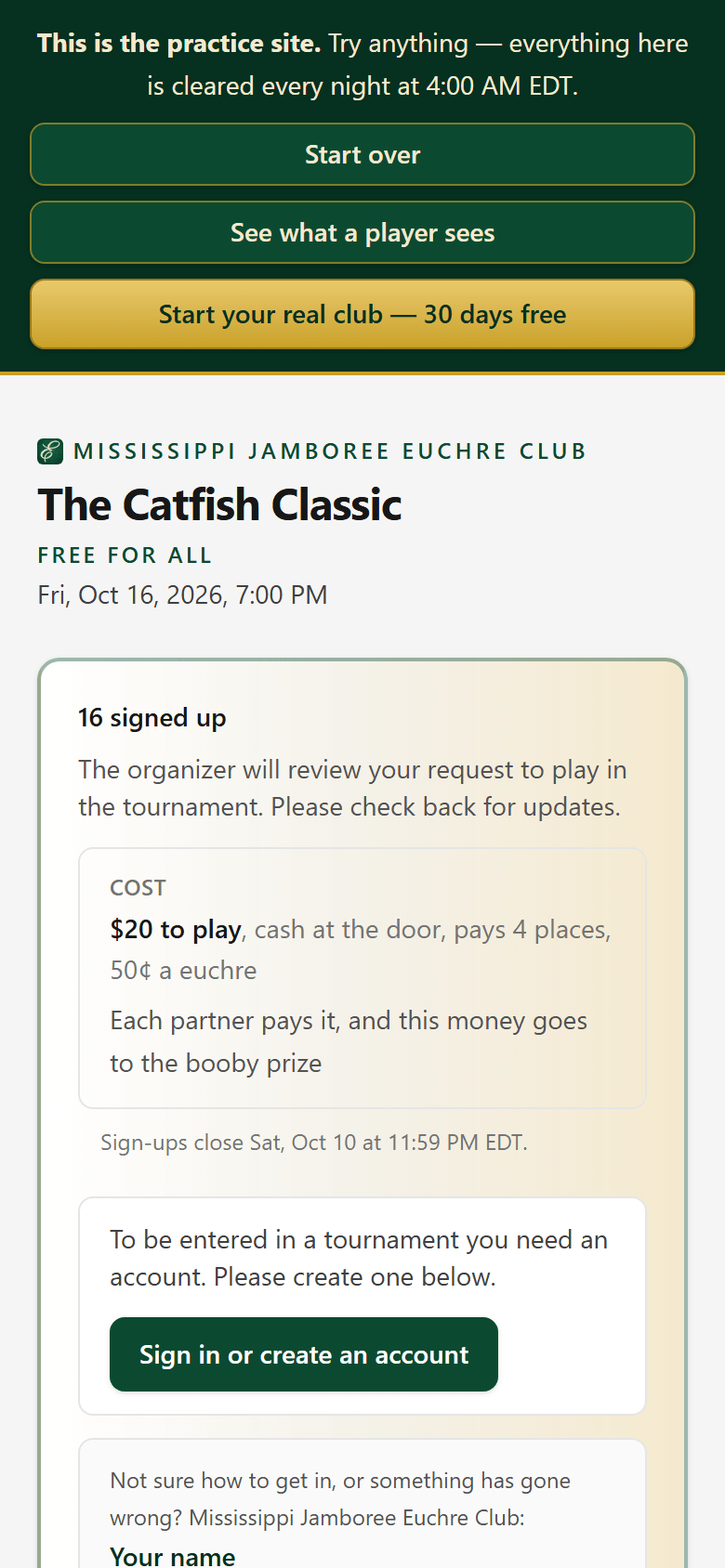
No account yet? The page walks you through making one.
- 2
Make your account
Your first and last name as the club knows you, then your birthday, ZIP code and a secret word, then your email, phone number and a password.
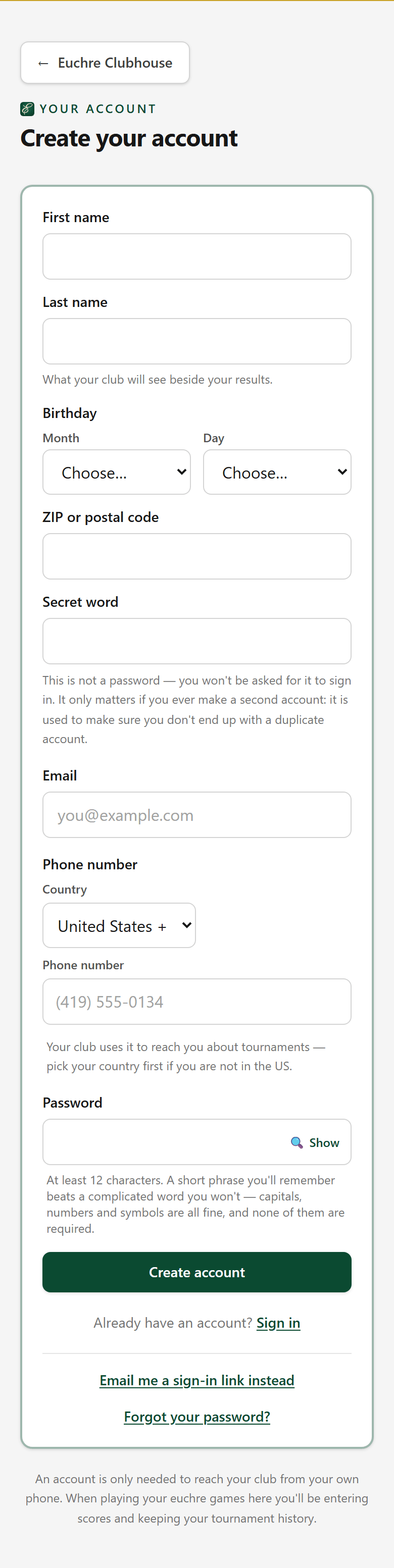
The birthday, ZIP code and secret word are how the app tells you apart from somebody with your name. The secret word is never shown to anybody.
- 2A
Only if your name already has results
You are let into the club straight away. However, if your name is on the roster and the admin has loaded past tournament data under your name, they confirm that “you are you”. Once this is complete, that data is yours. This is to prevent data being matched to the wrong player.
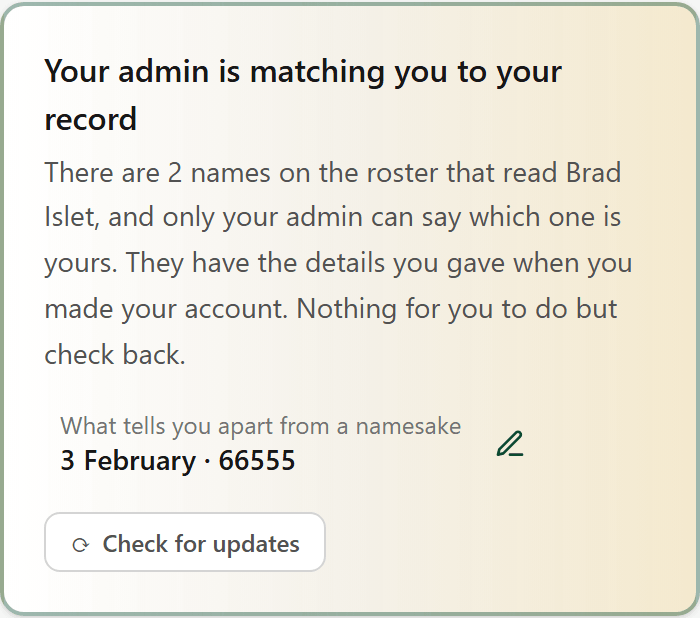
Nothing to do but check back. Everything else in the club is open to you meanwhile.
- 3
Already in
Open the same link once you're in the tournament and it says so, and who to tell if you can't make it.
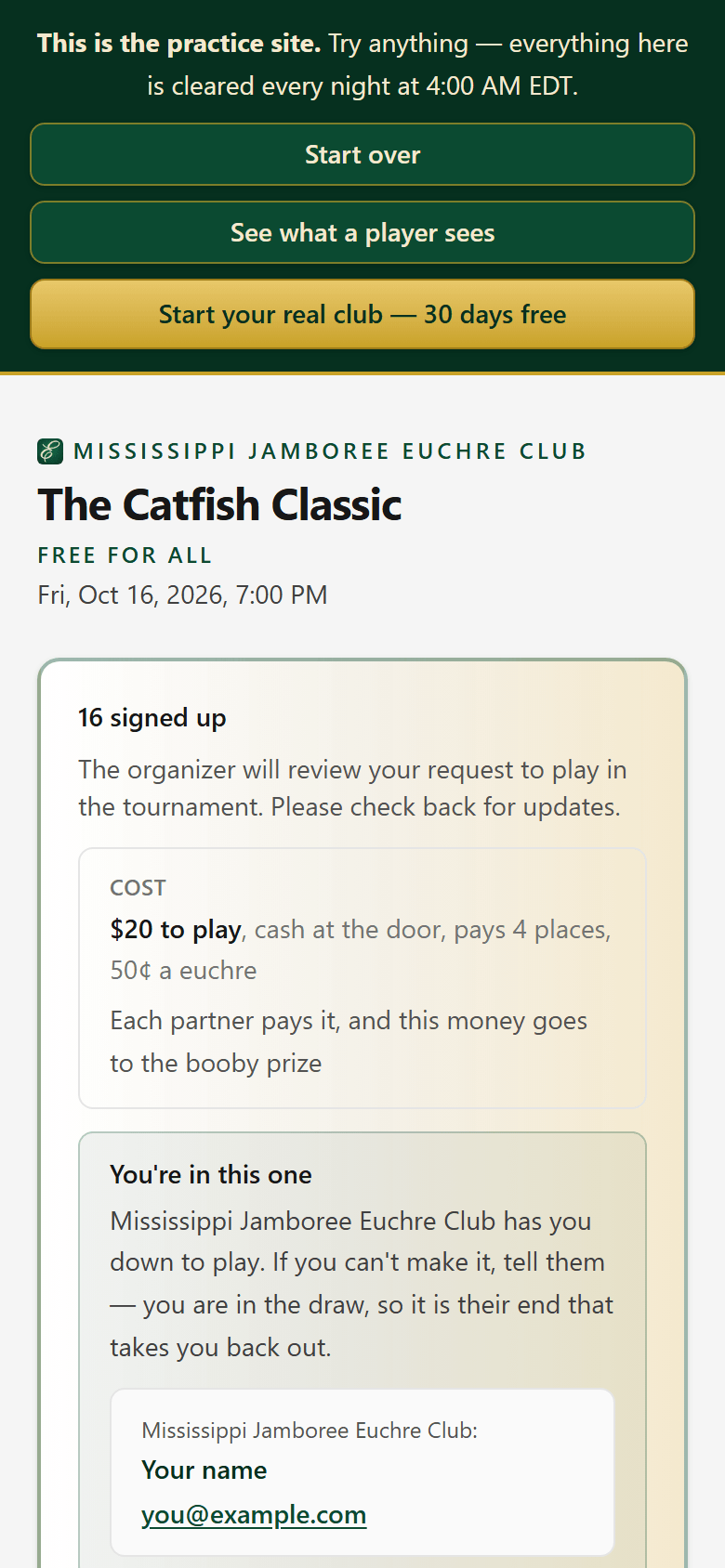
While the tournament is being played, this box also has the way to your scorecard.
- 4
Say whether you're coming
Open the club page. The next tournament's card says whether you're down to play, with Maybe and Can't make it if your plans change.
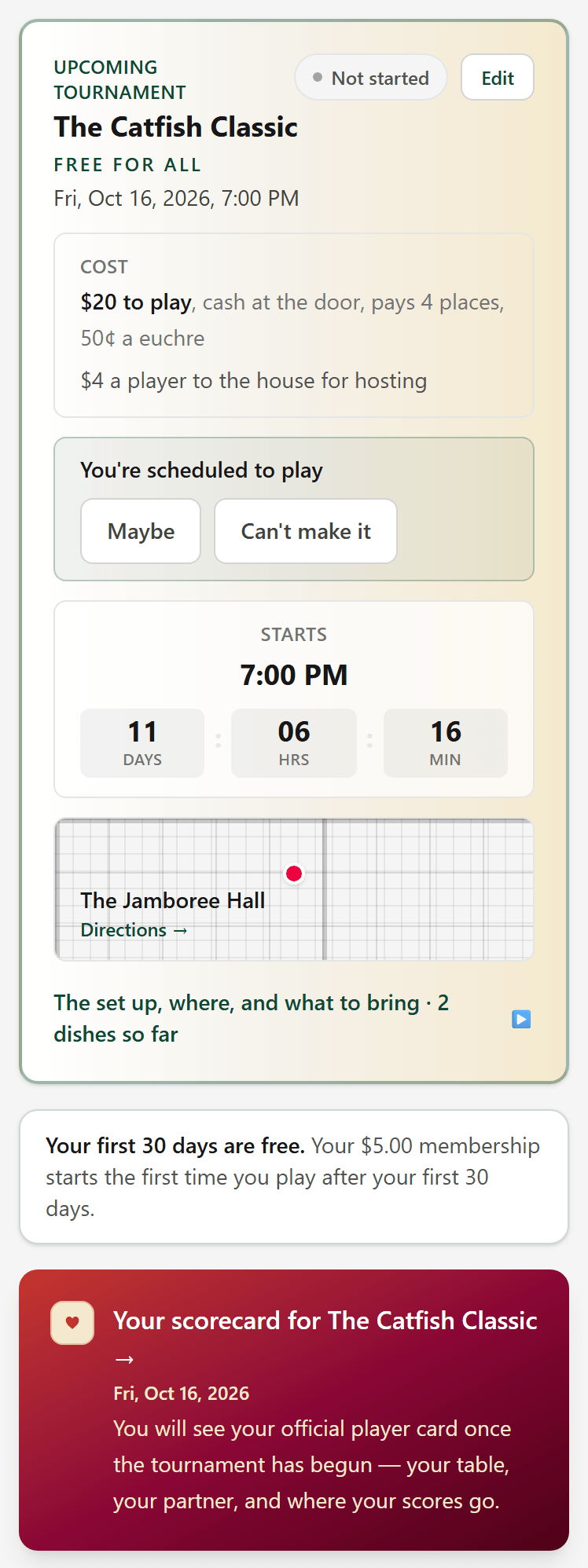
Your scorecard for it is the red card just below.
- 5
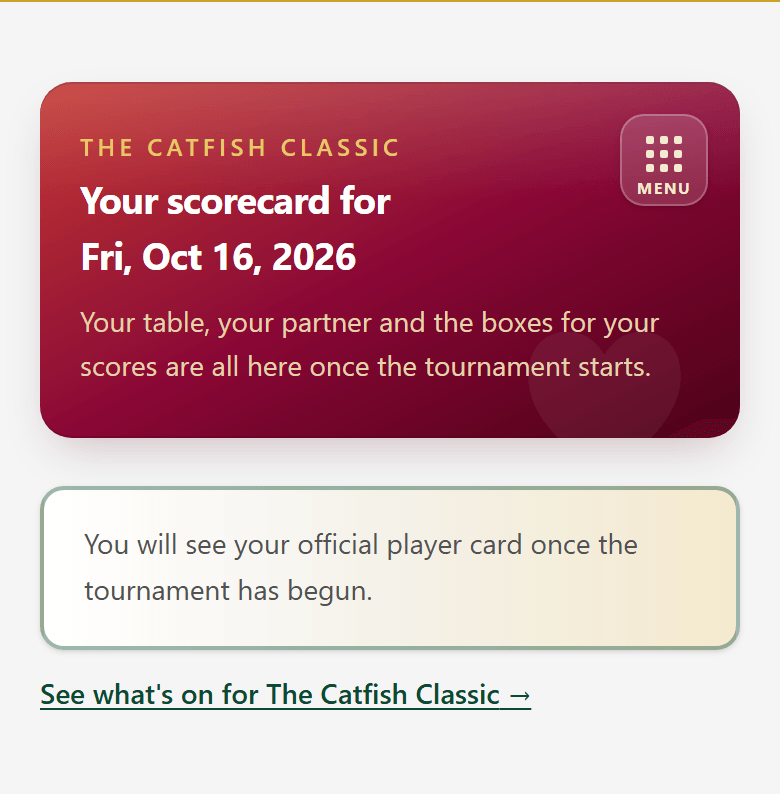
Your scorecard opens at the start
Until your admin starts the tournament, your scorecard waits. Tables are drawn again whenever somebody joins or drops out, so your partner isn't settled until then.
- 6
Enter your scores
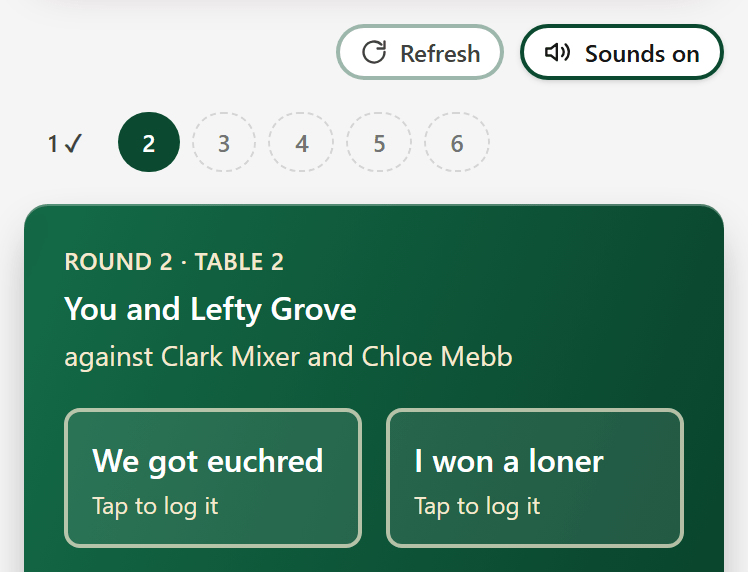
Once it starts, your card shows your round, your table, your partner and who you're playing. Type your team's score and press Save.
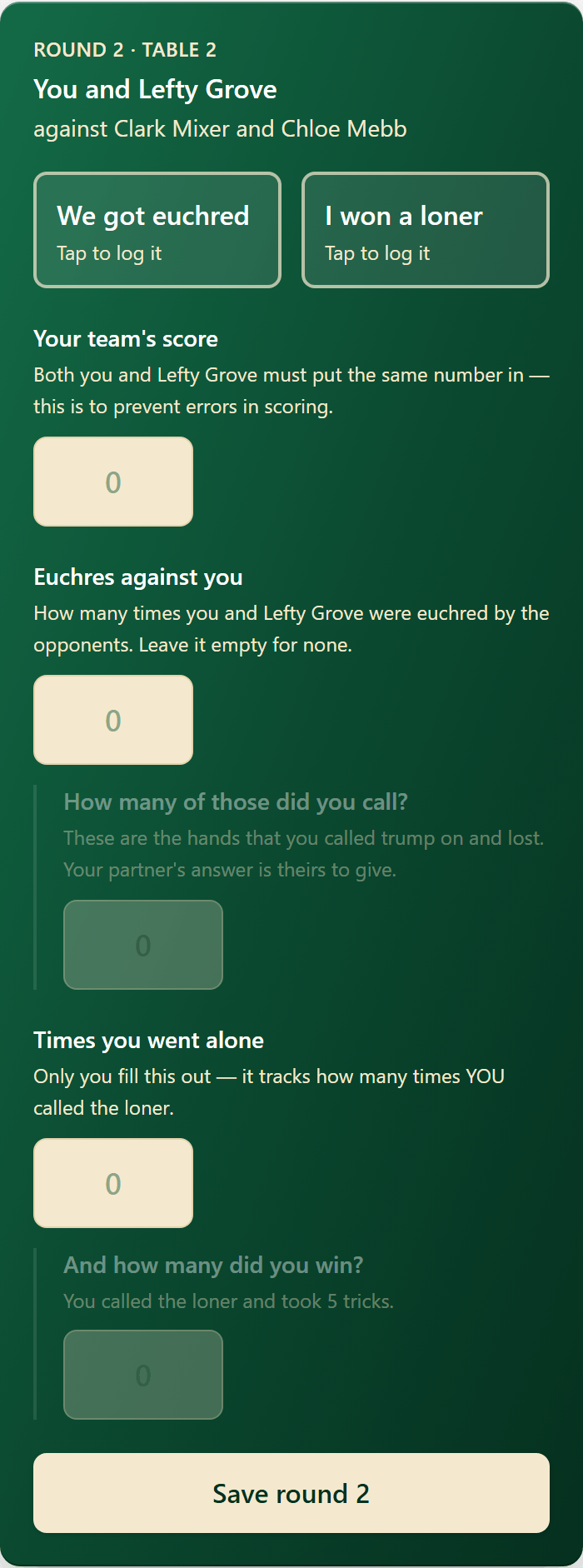
You and your partner both put in the same number, which catches a slip. We got euchred and I won a loner are tap keys for during the hand.
- 6A
Sounds on or off
The tap keys make a sound when you press them. Sounds on, above your card, turns them off for this phone.
- 6B
In two tournaments at once
A big event can run a singles and a doubles side by side. If you are in both, the club page still has one scorecard card, with a button under it for each tournament.
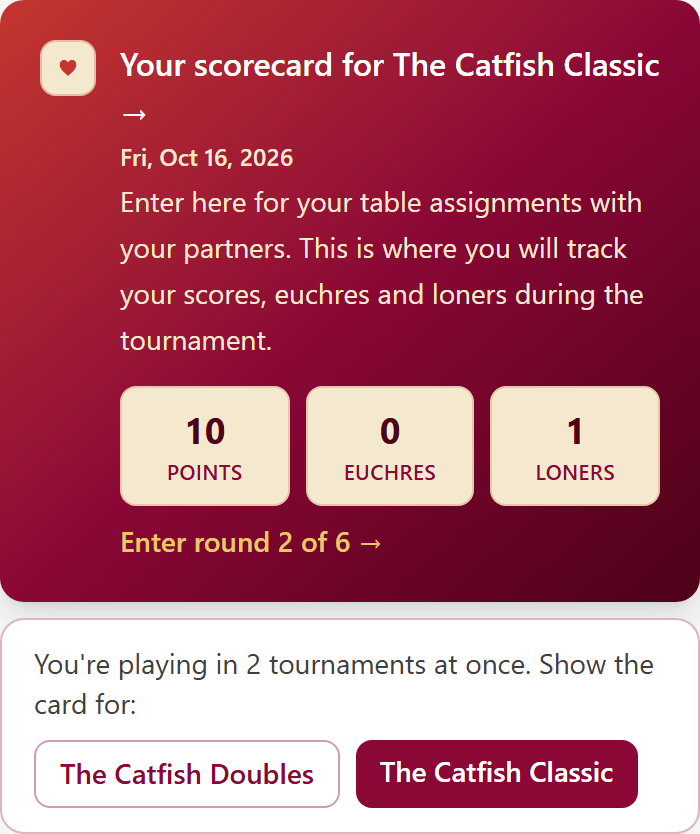
The red button is the card you are looking at. Press the other one and the card switches.
- 6C
The other tournament's card
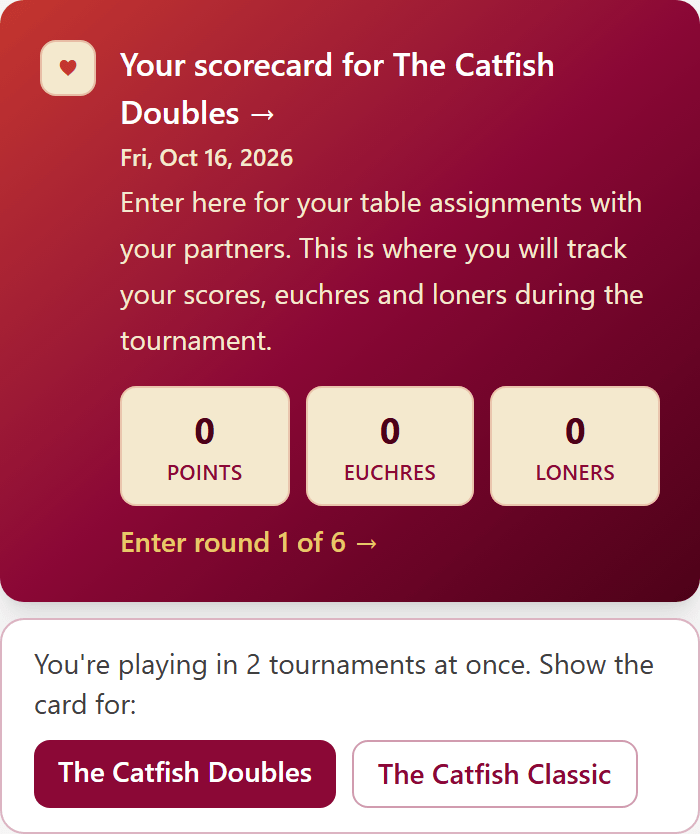
Press The Catfish Doubles and the card above is for the doubles. On the scorecard itself, a line at the top says You're also playing, with a link to the other card.
- 7
Who you're playing
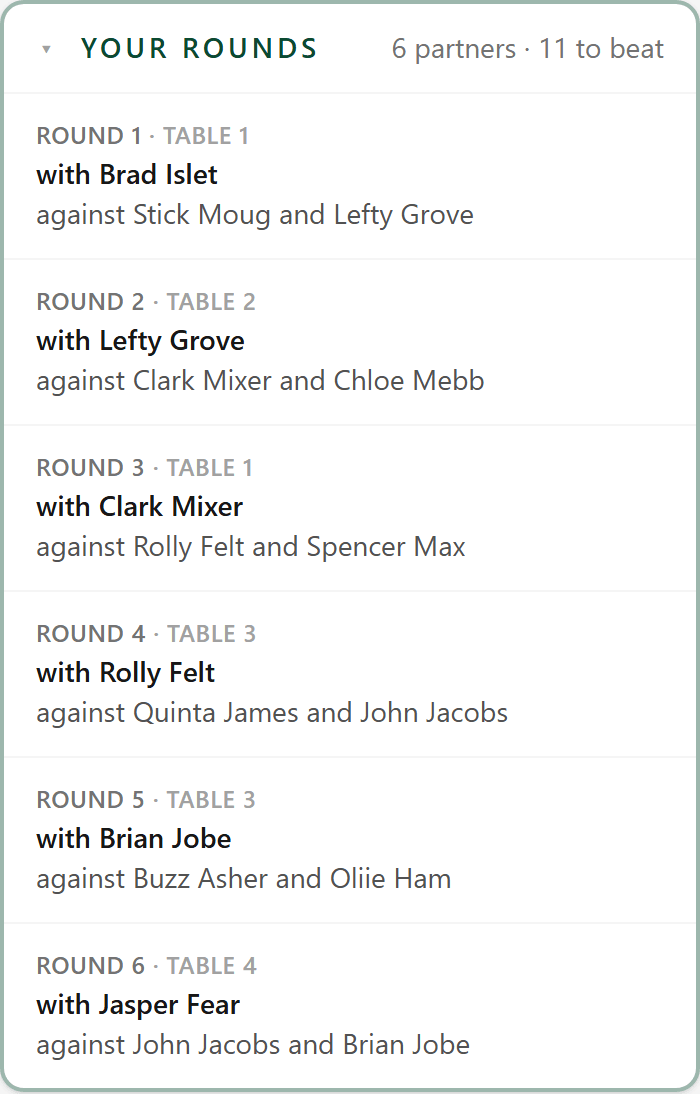
Your rounds, under your card, lists every round: your table, your partner and who you're playing against.
- 8
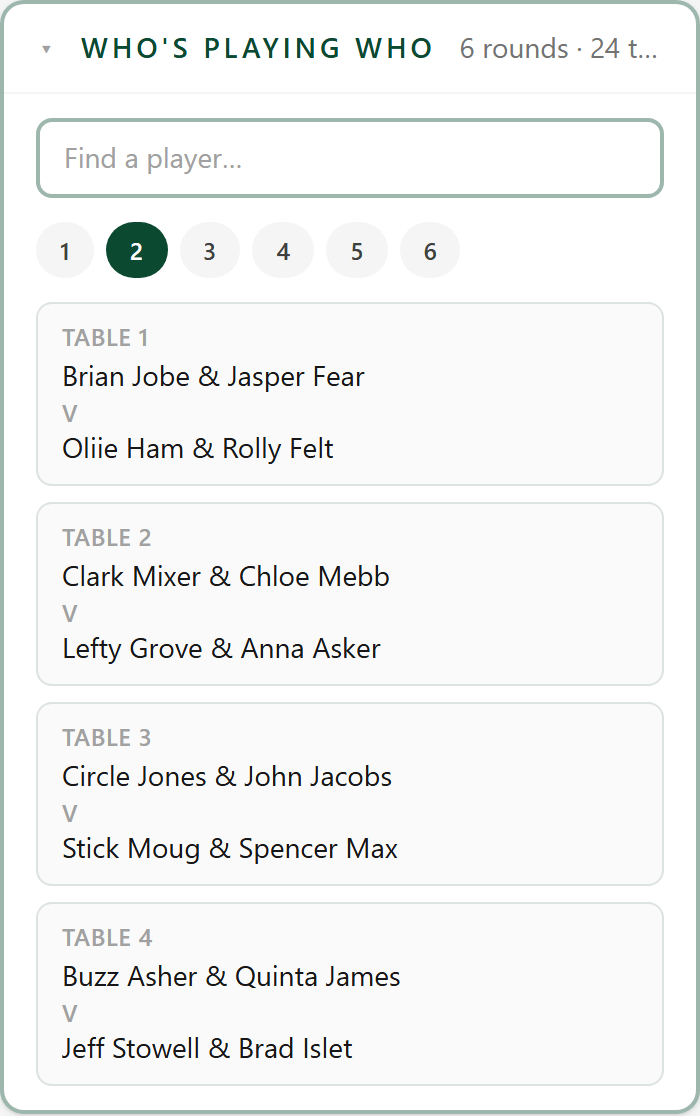
Who's playing who
Who's playing who shows every table in every round, so you can see where everybody sits.
- 9
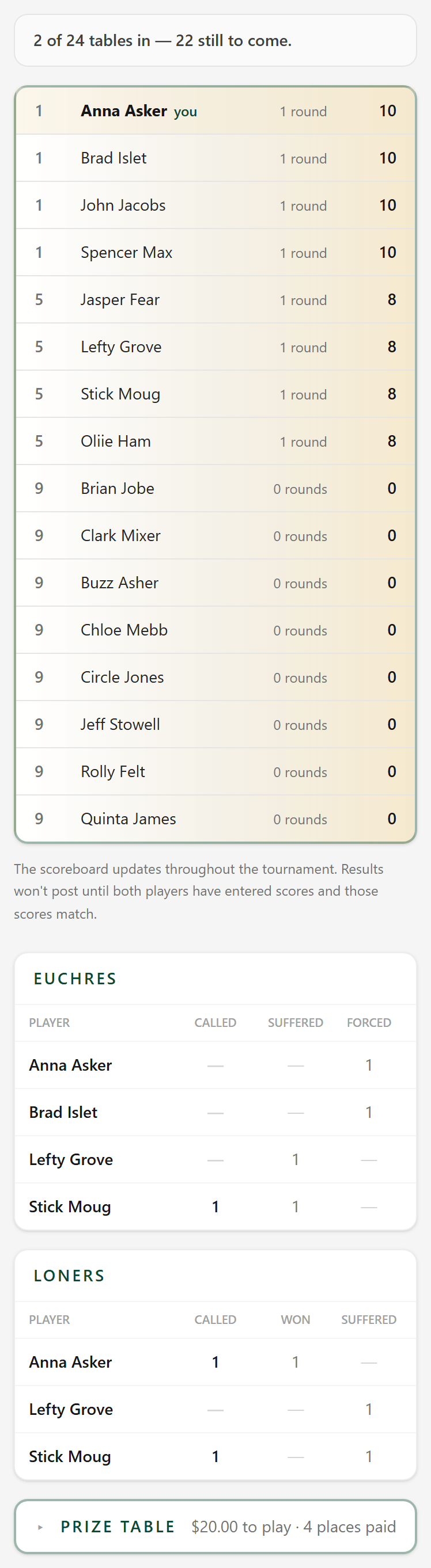
The scoreboard
The scoreboard on the club page is the whole room's standings, updated as the tables come in.
- 10
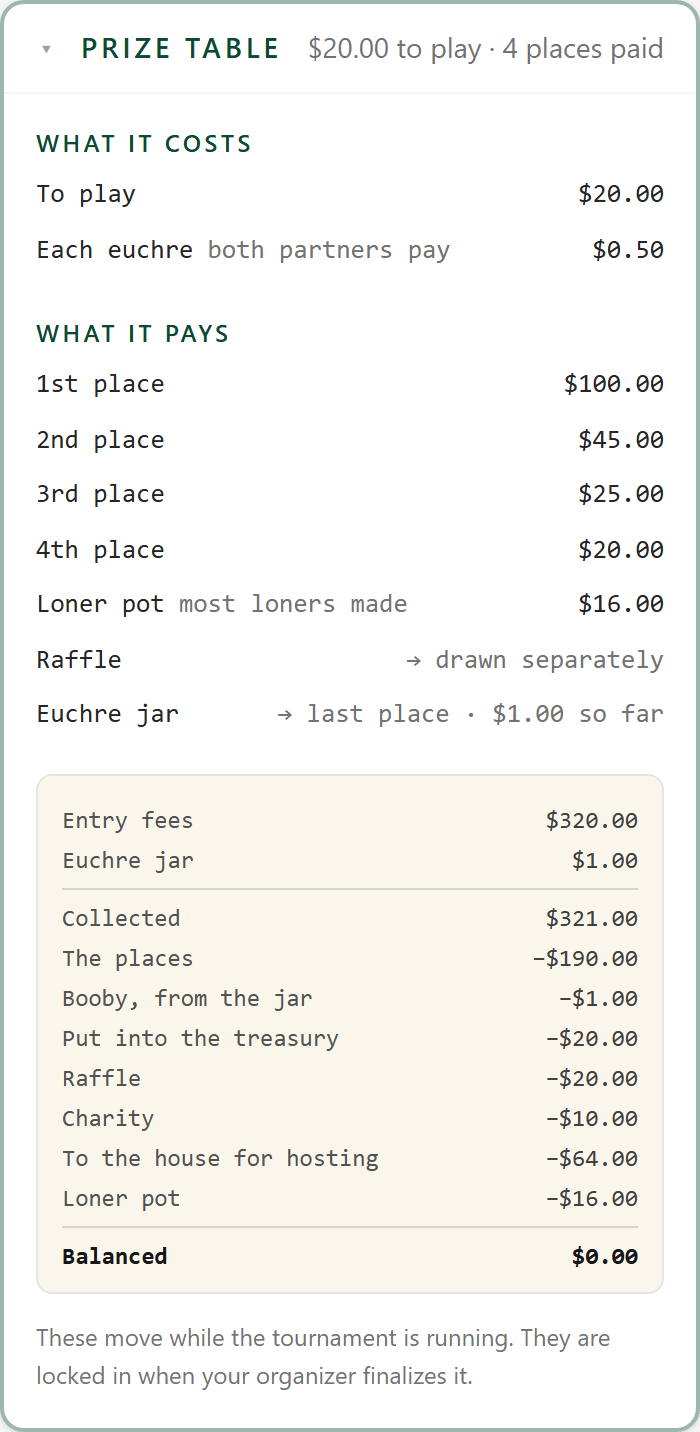
The prize table
Prize table shows what it costs to play, what each place pays, and where every dollar of the pot goes.
- 11
Your record
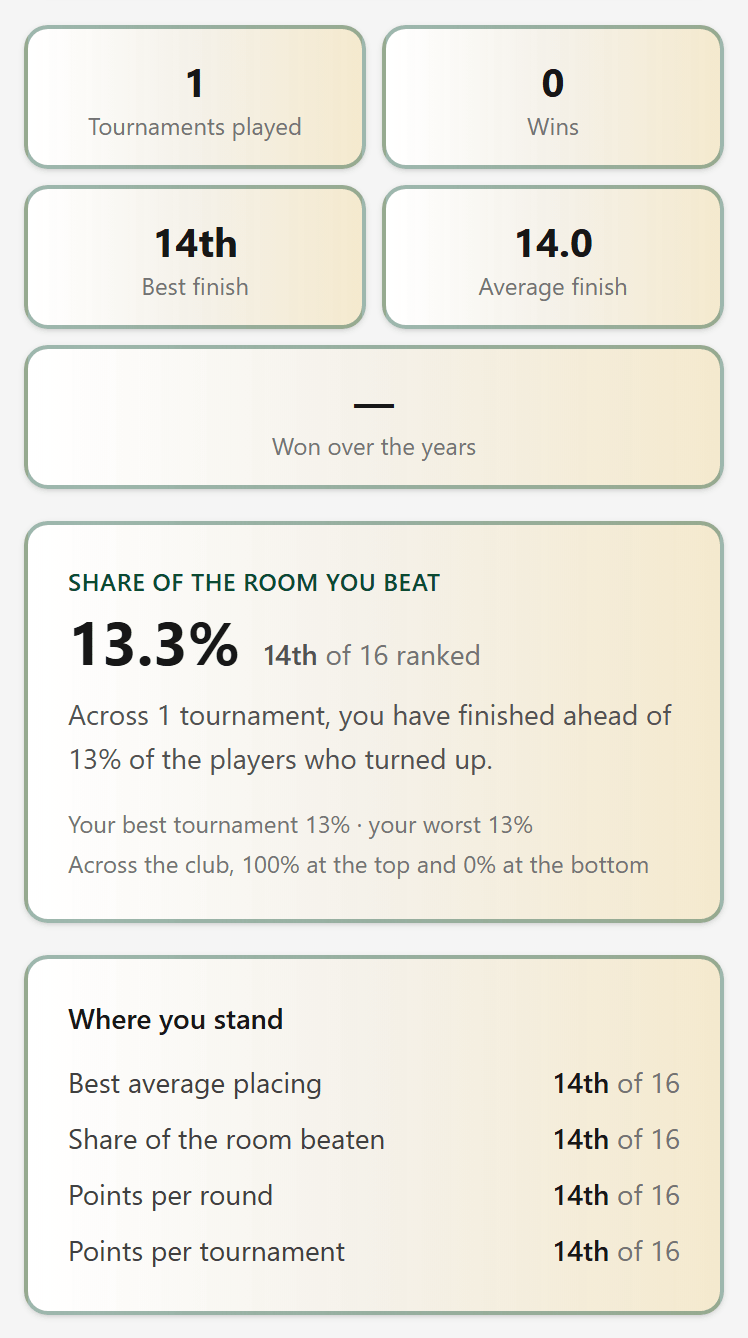
Your record keeps every tournament you've played: wins, placings, and where you stand in the club.